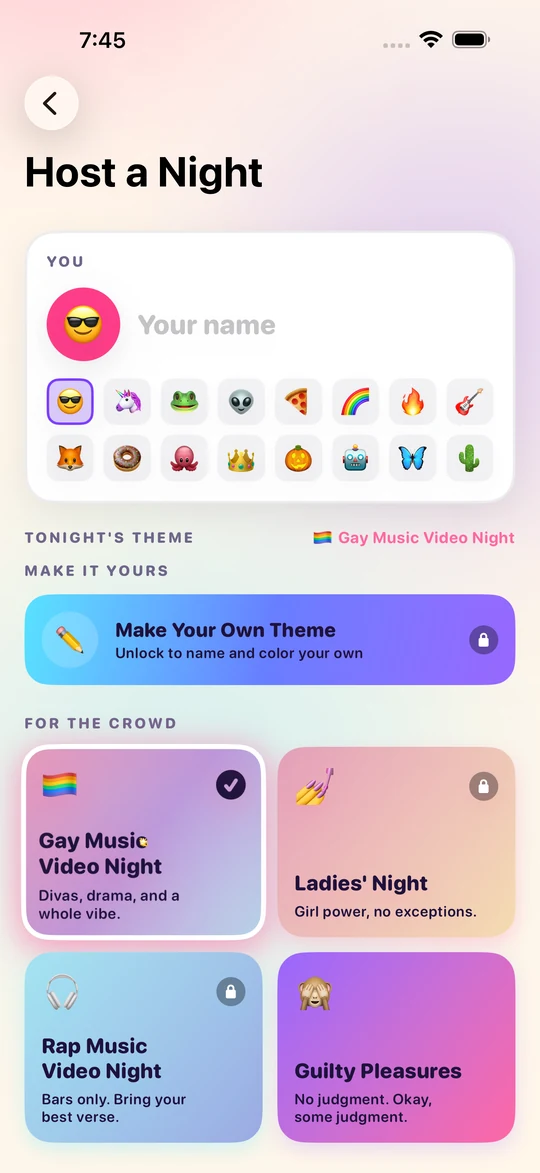
Pick a theme, share the code
The host picks tonight's theme and reads out a 5-letter code. Everyone else taps Join with a Code — joining is free and only the host needs anything unlocked.
Everyone picks a video. Everyone votes. One person wins the Night.
Friends in the same room, one theme, one music video each — watched together in sync, argued about in live chat, then voted on blind.
How a Night goes
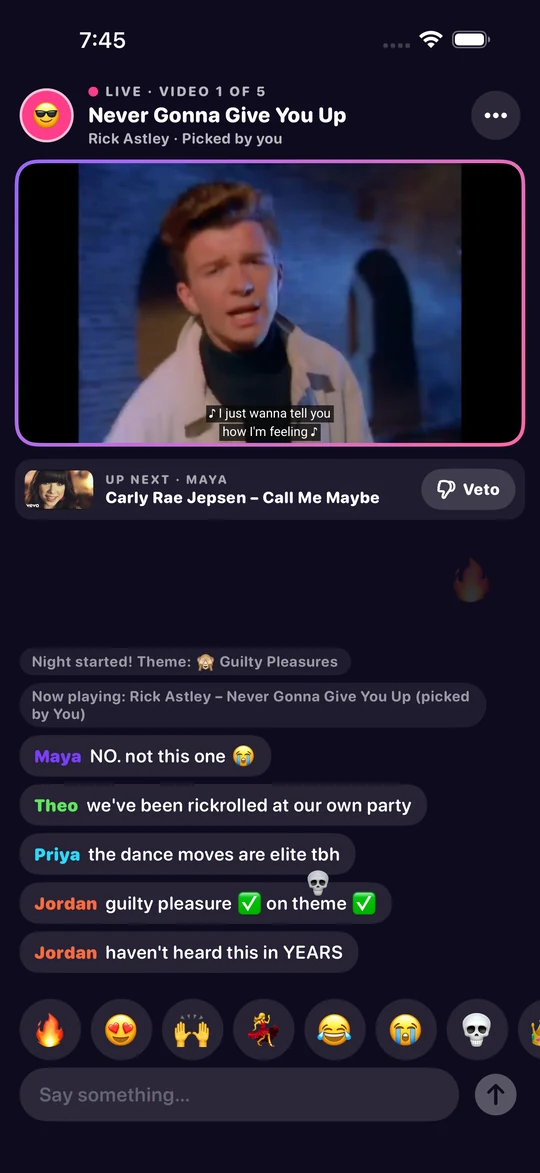
A Night takes about as long as the videos do. Nobody installs anything but the app, nobody signs up for anything, and nobody has to be the DJ all evening.
The host picks tonight's theme and reads out a 5-letter code. Everyone else taps Join with a Code — joining is free and only the host needs anything unlocked.
One YouTube music video each, on theme. They play in sync on every phone at once while the room chats and flings emoji at the screen.
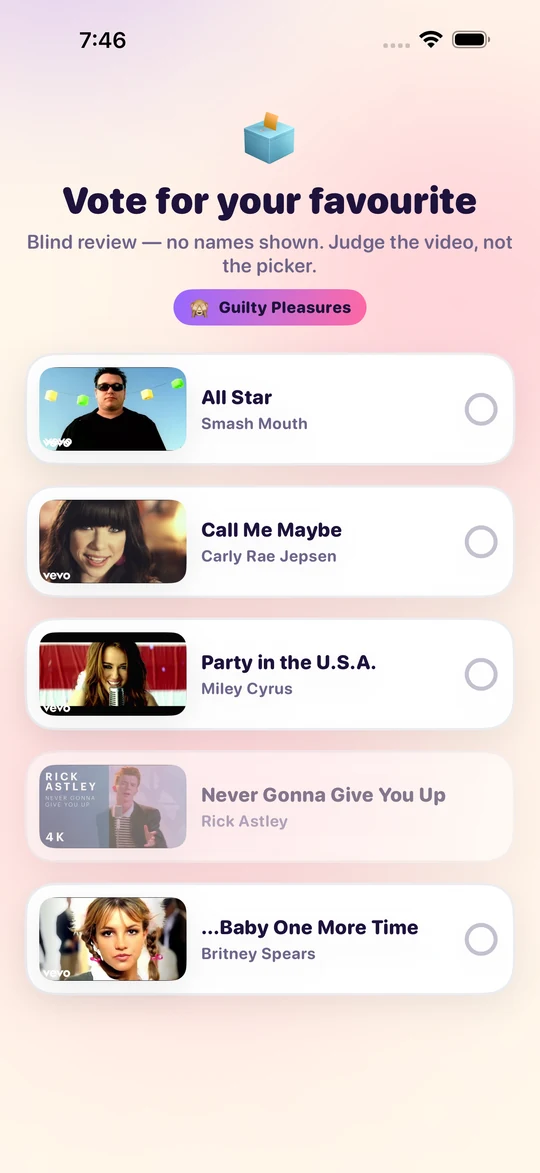
See something coming you can't sit through? Veto it before it plays. At the end everyone votes — no names attached, so you're judging the video, not your friend.
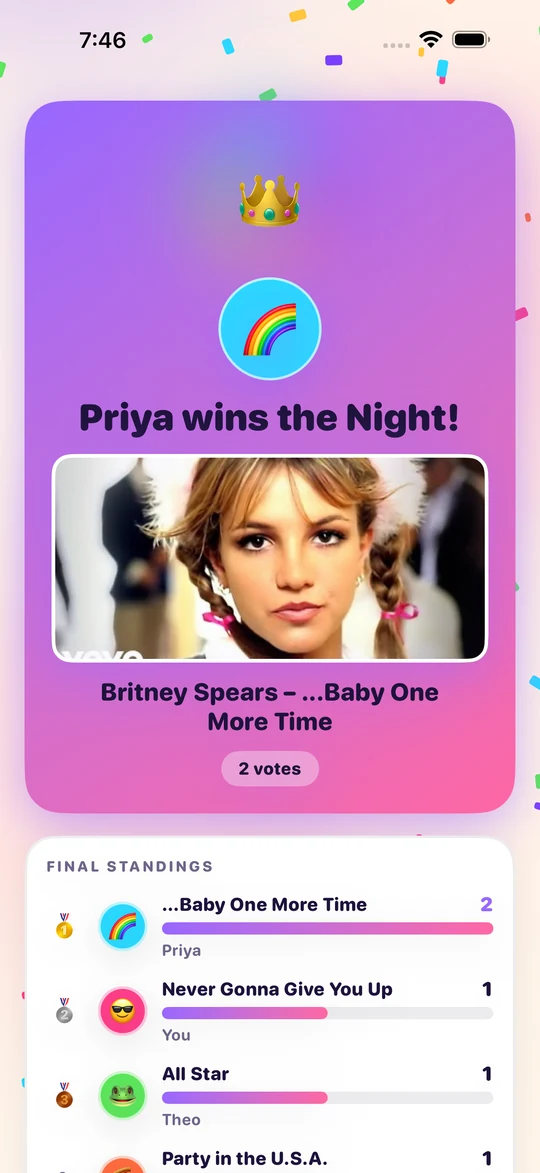
Confetti, a crown, and the final standings. Every Night is saved to your history, and the Hall of Fame keeps score across all of them.
TV mode
Mirror the host's iPhone and the TV shows a layout built for the room — the scoreboard, the chat and what's up next — while the video plays on the host's phone. Prefer the video itself on the TV? Turn TV mode off before you mirror and the TV becomes a plain mirror of the phone. Either way, everyone keeps their own phone for picking, chatting, vetoing and voting.
One catch worth knowing: it's the video or the scoreboard, not both. When a video goes to the TV, iOS hands the whole screen to it, so the chat and reactions can't be drawn on top. That's an Apple TV limit, not a setting you've missed.
Themes
The theme is the whole game — it's what makes someone dig for the perfect pick instead of playing their most-played. Four are free for hosts. Unlock Everything opens the rest, plus themes you invent, name and color yourself.
What it costs
No subscription, no ads, no in-game currency, nothing that phones home. If someone else is hosting, you never pay anything.
Free
Always. No account, no trial, no catch.
$4.99
One-time purchase. Not a subscription.
FAQ
A party game for iPhone played by people in the same room. The host picks a theme, everyone joins with a 5-letter code, and each player submits one YouTube music video that fits. The videos play in sync for everyone while people chat and react, then everyone votes blind for a favorite. Most votes wins the Night.
No accounts, ever — there's no login and no server of ours anywhere. Phones talk straight to each other over WiFi and Bluetooth using Apple's MultipeerConnectivity, so nothing about your Night leaves the room and nothing is collected about you. You do need an internet connection to stream the videos themselves from YouTube.
Anyone in the room with an iPhone and the host's code. Everyone takes a turn picking one video, so most Nights run three to six people.
Screen Mirroring from Control Center puts the Night on an Apple TV. With TV mode on the TV shows the scoreboard, the chat and what's up next; with it off the TV mirrors your phone, video and all.
There is no AirPlay button inside the video — YouTube's player doesn't offer one inside an app, so mirroring is the way.
Joining is always free, and so is the app itself. Hosts get Wildcard, Guilty Pleasures, One-Hit Wonders and Thriller Night free along with their whole Night history. One optional $4.99 purchase, Unlock Everything, adds every theme, custom themes, the recap video reel and the Hall of Fame. The recap card is free for everyone. It's one-time, not a subscription, and only the host needs it.
Some artists and labels switch off embedding, so their videos can only be watched on YouTube itself. The app tells you when that happens: whoever picked it can swap it, the host can skip it, and anyone can open it in YouTube from the same screen.
An iPhone running iOS 17 or later, for everyone playing. TV mode also needs an Apple TV to mirror to.
Get the app from the App Store, open it and tap Join with a Code, then type the 5 letters in. There's a walkthrough on the join page.